
Users
On this page, dashboard users can be added.
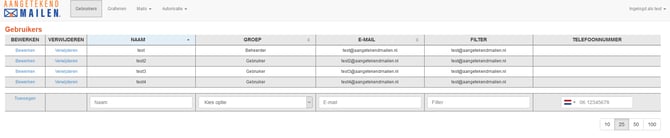
Name
This is the username users must enter when logging in. We recommend using the user's email address.
Group
The permission group assigned to the user.
- User: View-only access to sent registered emails.
- Administrator: Can authorize users.
- Web Service User: Only used for API integrations.
Email
The email address associated with the dashboard user.
Filter
This determines which email addresses the user can view in the mail overview.
- If this field is left empty, the user can view all registered emails sent through the server.
- If the user's own email address is entered, they can only view emails they have sent.
- Multiple email addresses can be added by separating them with commas.
Phone Number
Only required if two-factor authentication (2FA) is enabled for login. This feature must be activated by Aangetekend Mailen.
After a new user is added, an activation email is automatically sent, allowing the user to activate their account and set a password.
Reports
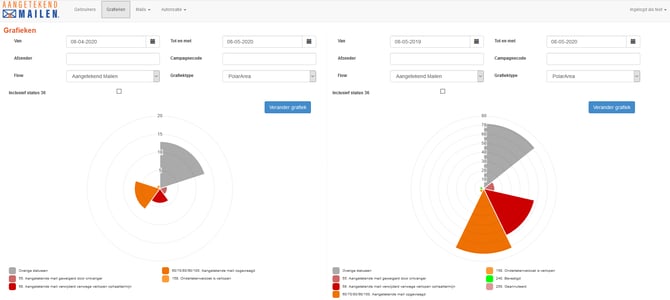
Using the Reports button, customer administrators have access to useful management information. The two side-by-side graphs make it easy to compare different time periods.
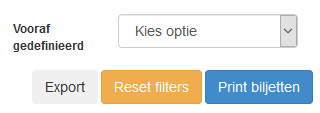
For more detailed data analysis, a CSV export can also be generated from the Mail Status Overview page.
Mails
The status notifications of sent registered emails are delivered to the sender's mailbox by default.
The same status information can also be viewed in this dashboard.
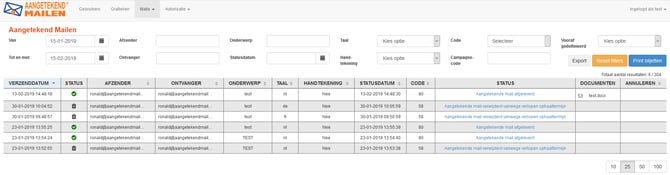
The filter fields at the top of the page allow you to quickly search for specific registered emails. Only the metadata displayed here is stored on the configured Aangetekend Mailen server.
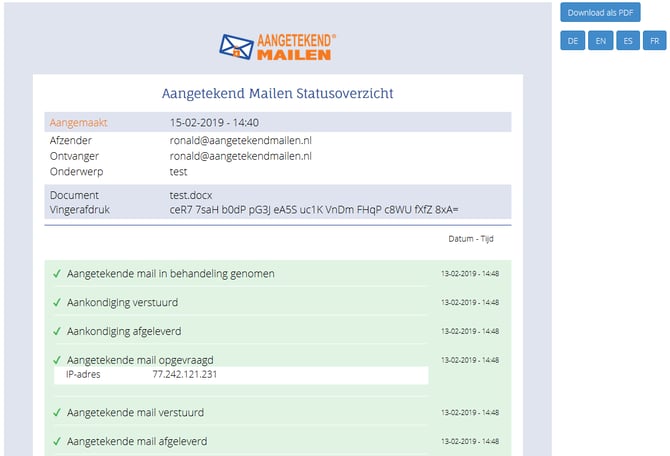
Click the blue link in the Status column to open the delivery report. The report can be downloaded as a PDF.

Email Authorization
This page contains the email addresses that are authorized to use Aangetekend Mailen.

It is important to add users here before they start using Aangetekend Mailen.
If a user who has not yet been authorized sends a registered email, the administrator will receive an email notification with the following message:
"The following user has been added to the AM server."
The administrator must take action within 48 hours. If no action is taken within this period, the registered email will not be sent and will be removed from the server.
Other Optional Settings
Various server settings can be customized to meet your organization's requirements. Examples include:
- The number of reminders sent and their interval.
- The company logo displayed to recipients.
- The organization name shown in communications.
To request changes to these settings, please contact Aangetekend Mailen Support at support@aangetekendmailen.nl.